Free  ·  iOS  ·  Android  ·  Mac

Paste HTML. See what it does.

Copy HTML from any AI chat — ChatGPT, Claude, Gemini, anything — and preview it in a sandboxed browser that blocks all network access and shows you exactly what the code is trying to do.

Download on the App Store Download APK on Android See how it works

See SafeHTML in action on iPhone

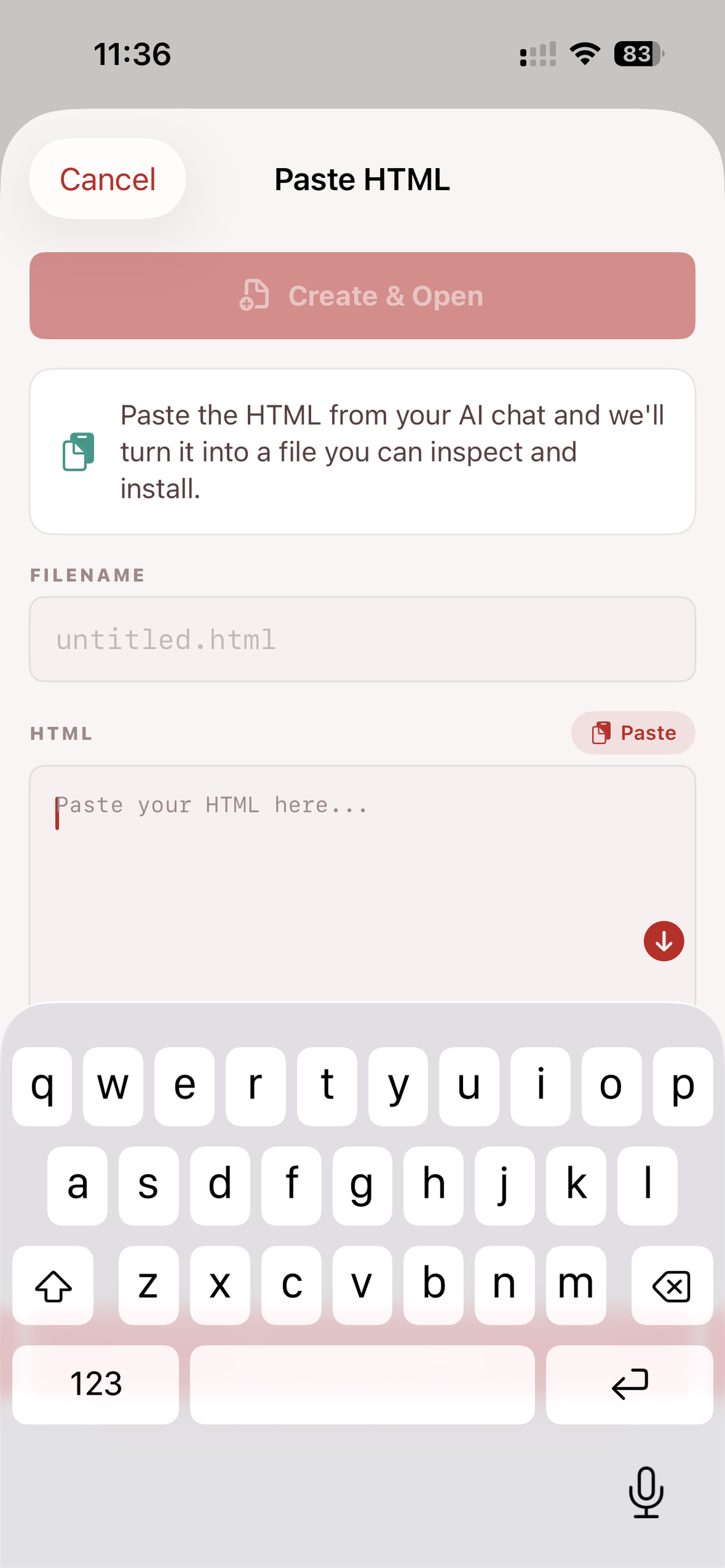
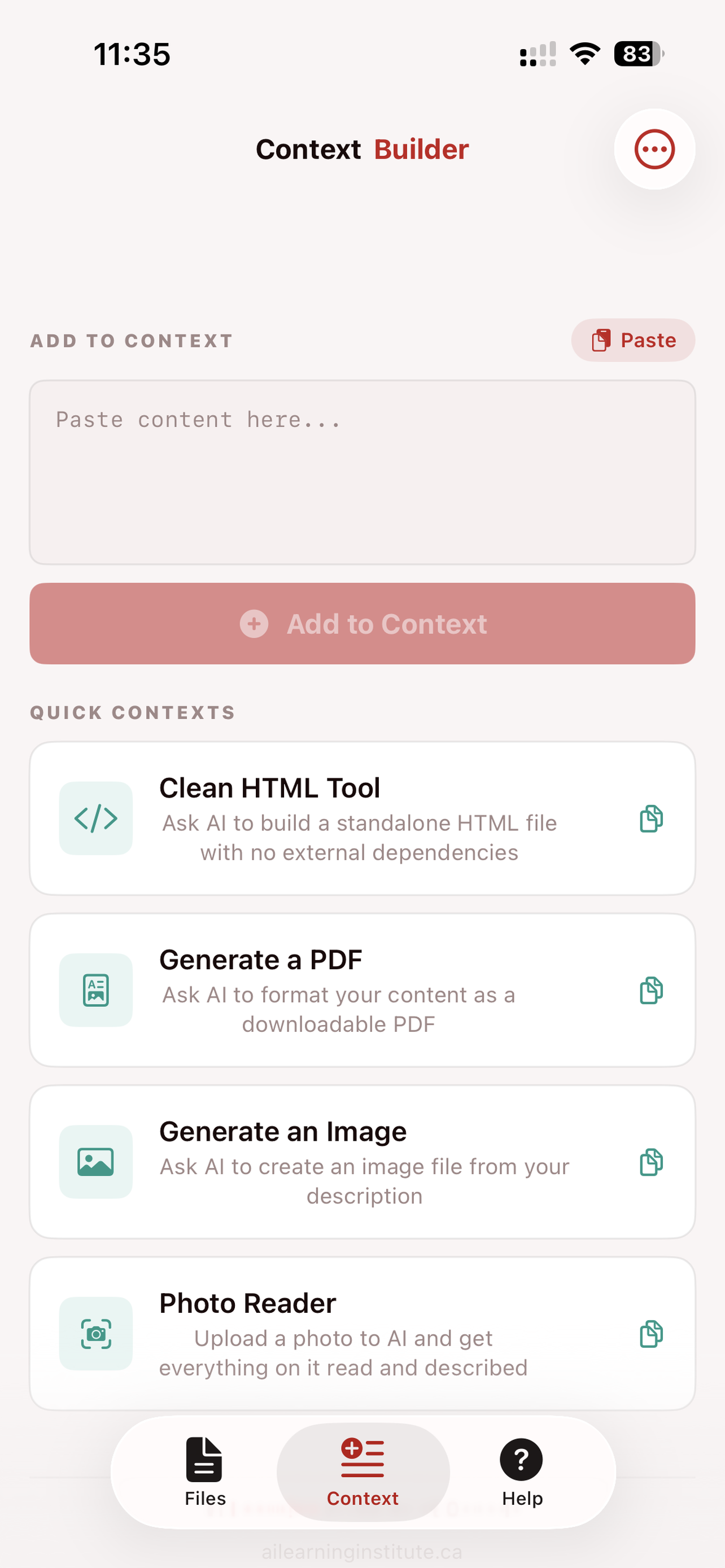
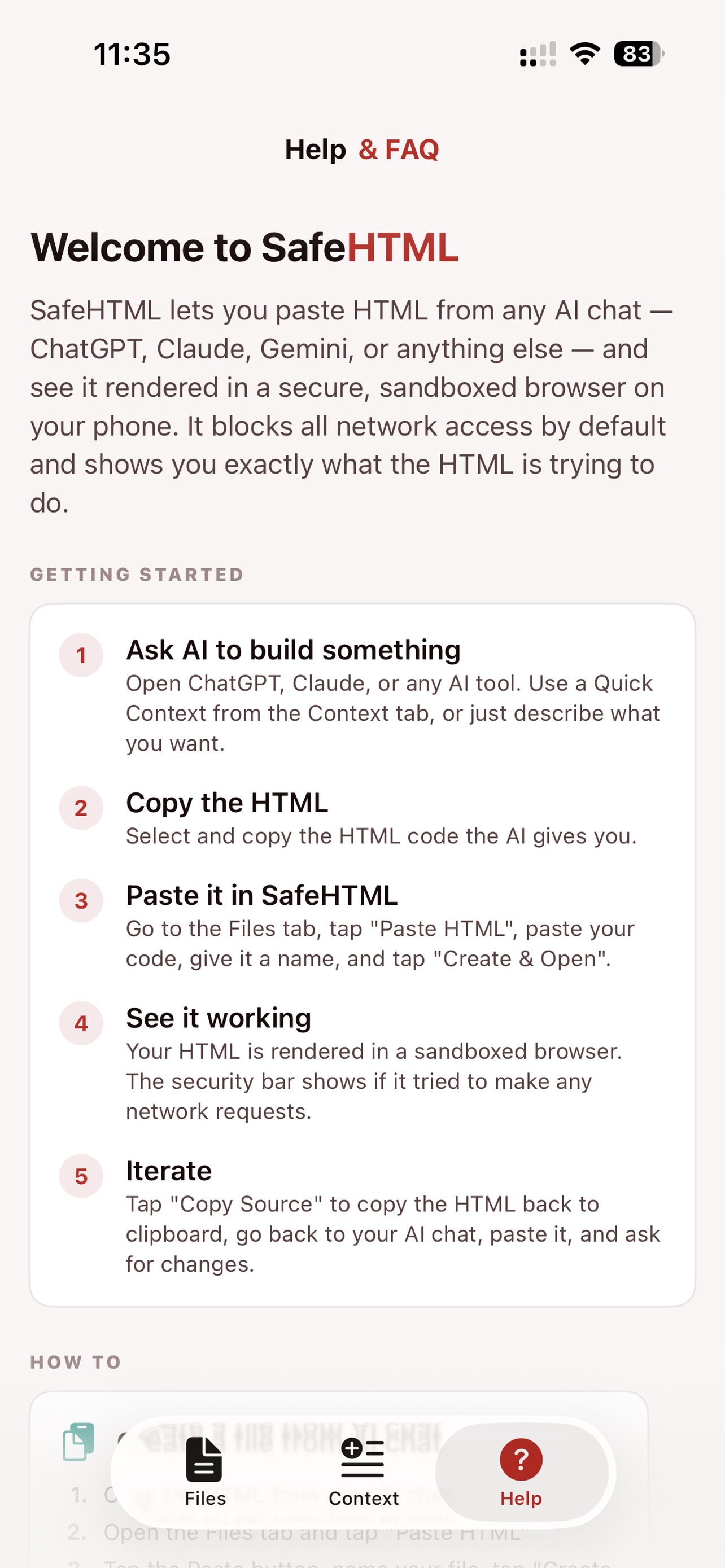
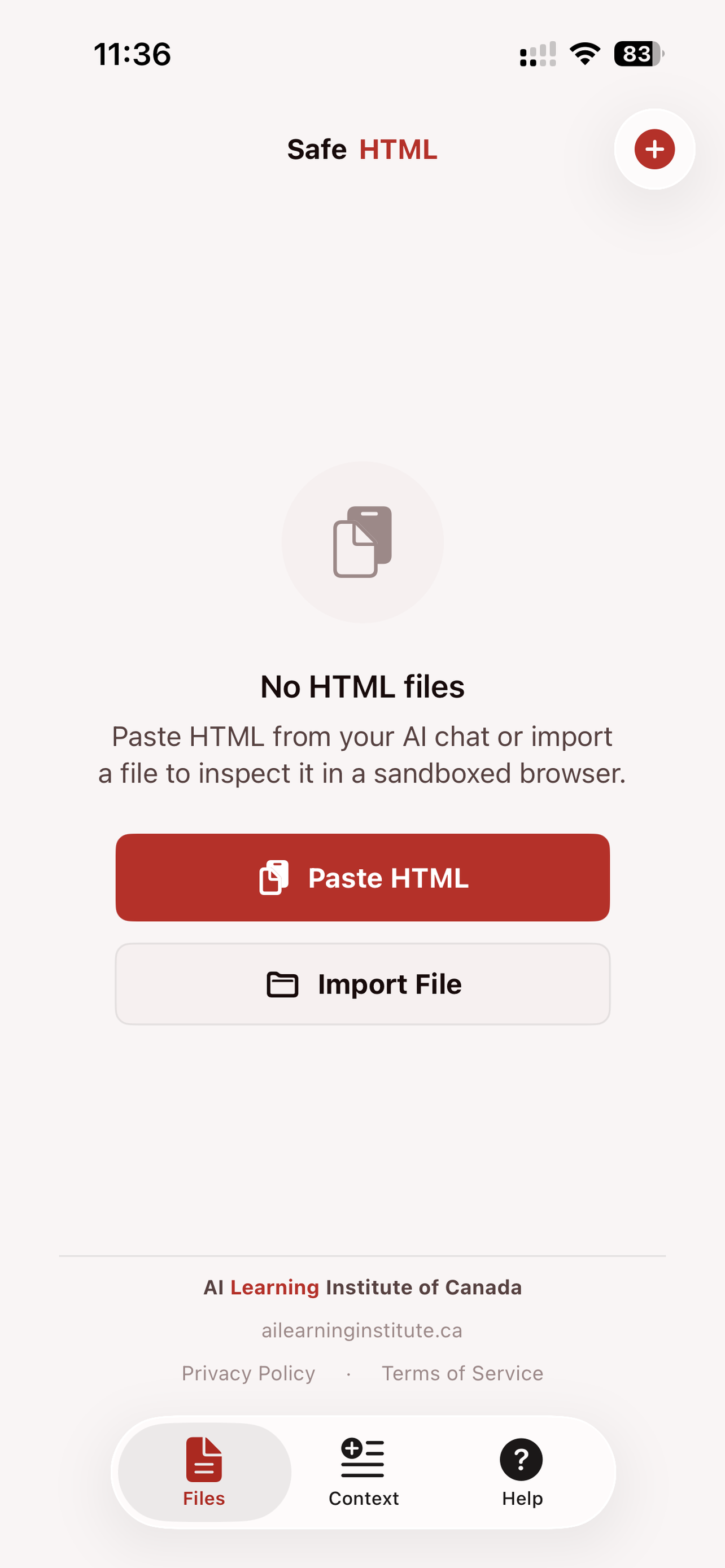
SafeHTML Files screen SafeHTML Paste HTML screen SafeHTML Context Builder SafeHTML Help screen

Built for learners. Designed for safety.

Everything you need to go from AI chat to working tool — and know exactly what that tool is doing.

📋

Paste & Preview

Copy HTML from any AI chat, paste it in, name the file, and see it rendered instantly. No server, no setup, no account.

🛡️

Security Inspector

Every file runs with network access blocked. See exactly which domains the HTML tries to contact, what type of request it made, and whether it was blocked.

⚡

Quick Contexts

One-tap templates that tell AI how to write clean, safe code. No prompt engineering needed — just tap, paste into chat, and add your request.

🔧

Context Builder

Assemble multi-part prompts from multiple sources. Save them with names for reuse. Export and import between devices.

🔄

Iterate Fast

Copy your HTML source back to clipboard with one tap, paste it into your AI chat, ask for changes, and paste the new version back.

📤

Share Anywhere

Send your HTML files via AirDrop, email, Messages, or any sharing method. The recipient opens them in any browser.

How it works

1

Ask AI to build something

Open any AI chat. Use a Quick Context from SafeHTML or just describe what you want.

2

Copy the HTML

Select the code block the AI gives you and copy it to your clipboard.

3

Paste it in SafeHTML

Tap "Paste HTML", name your file, and tap "Create & Open".

4

See it running — safely

Your HTML is rendered in a sandboxed browser. The security inspector shows if it tried to phone home.

5

Iterate

Tap "Copy Source", go back to chat, paste, ask for changes. Each round makes your tool better.

Your data stays on your device

SafeHTML doesn't collect anything. No analytics, no accounts, no tracking. Your HTML files and saved contexts live on your device and nowhere else.

No data collection No accounts required No analytics or tracking Works offline

Start building with AI — safely

Free on iOS, Android, and Mac. No account needed.

Download on the App Store Download APK on Android

Also available for Mac via the App Store